
A companion for your Codex sessions
Take the
conversation
with you.
TapCue brings your Mac’s Codex sessions to your iPhone. Continue the conversation, review changes, and handle approvals — wherever you are.
Requires a Mac with Codex set up and running.
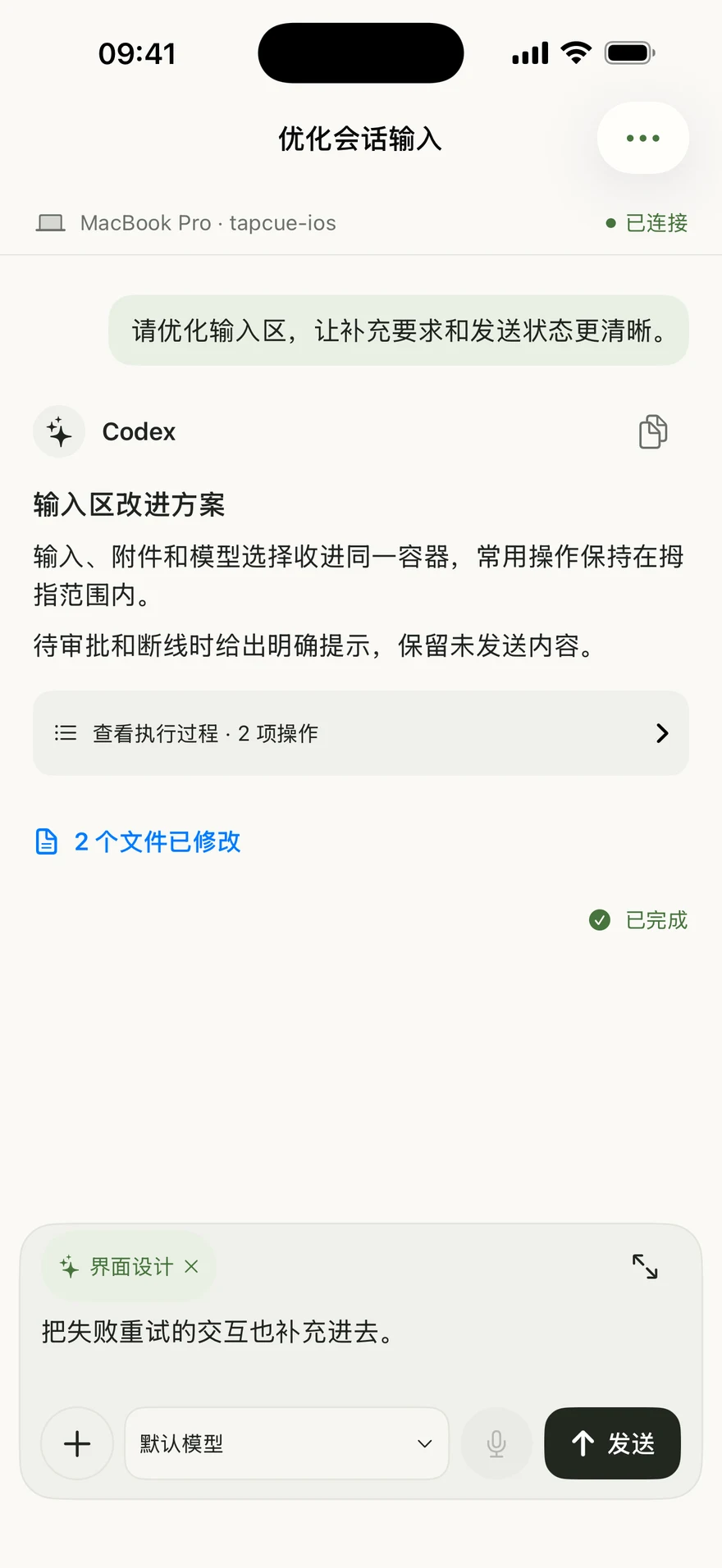
Continue the conversation
Pick up where you left off. Send the next instruction from your iPhone.
Review before approving
Inspect changes and diffs, then approve with confidence.
Keep multiple Macs in view
Monitor all your paired Macs and projects in one place.
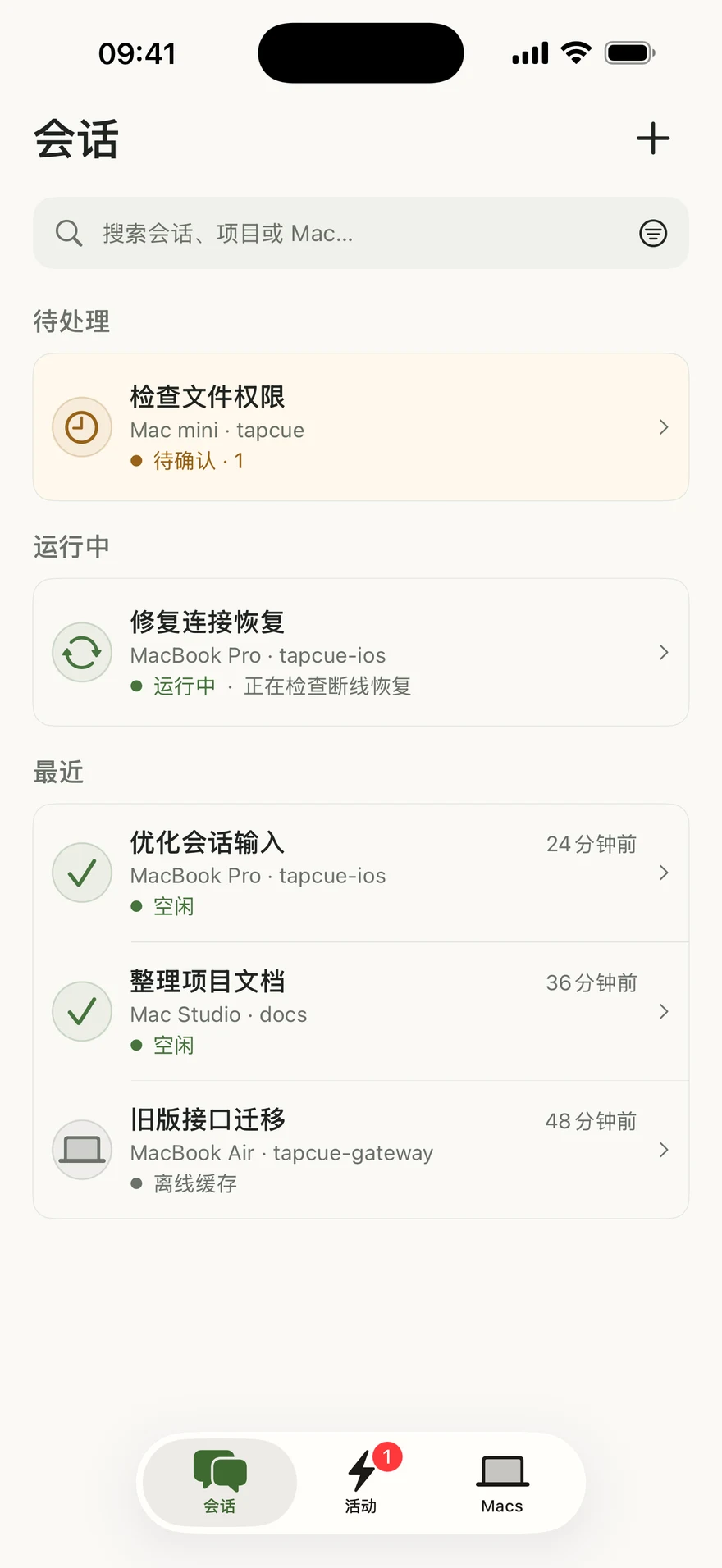
01
Your sessions, in your pocket
Stay in sync,
across all your Macs.
See your recent Codex sessions at a glance. Switch between Macs and projects, and jump back into the conversation instantly.
02
Review changes on the go
See the details.
Approve with confidence.
Inspect diffs, read the full context, and review what changed before giving the next instruction.
A closer look at reviews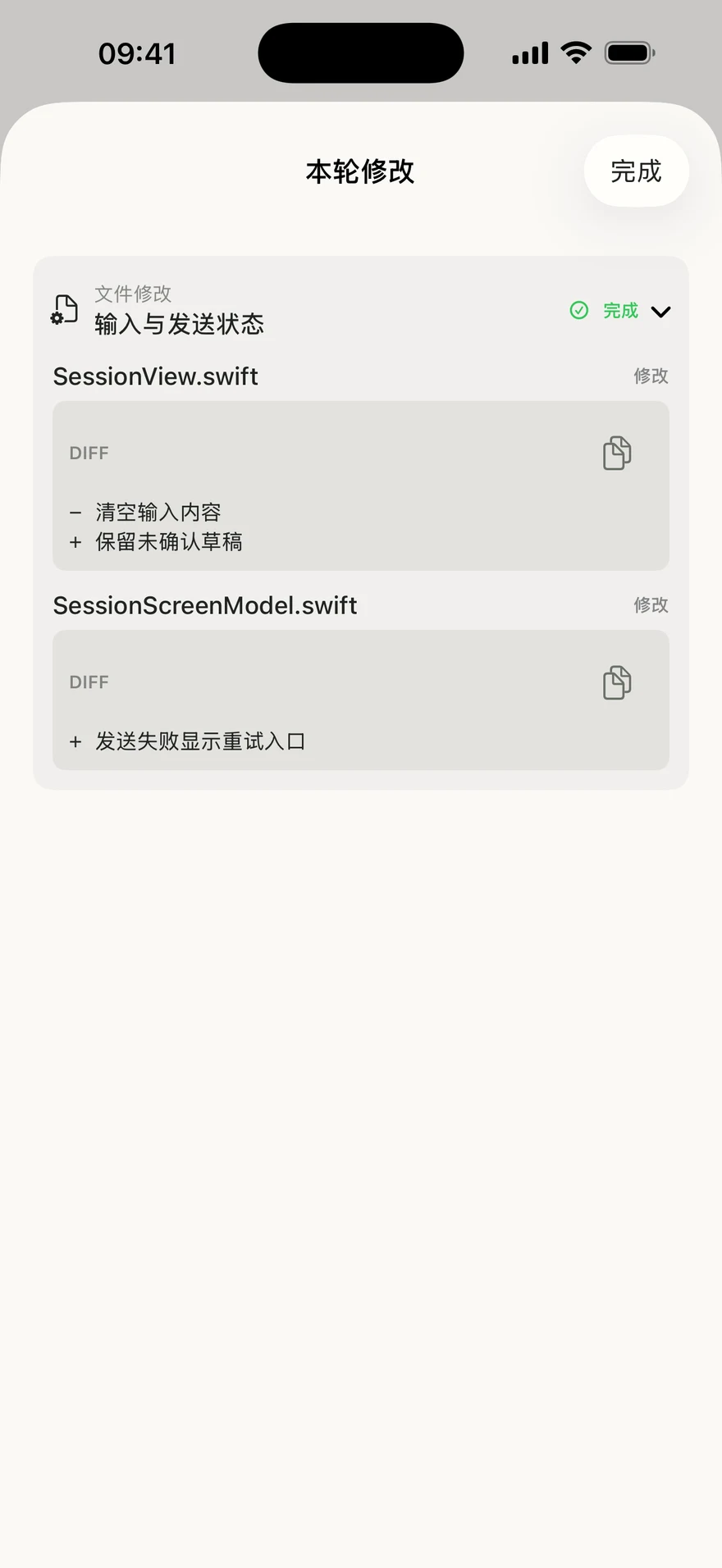
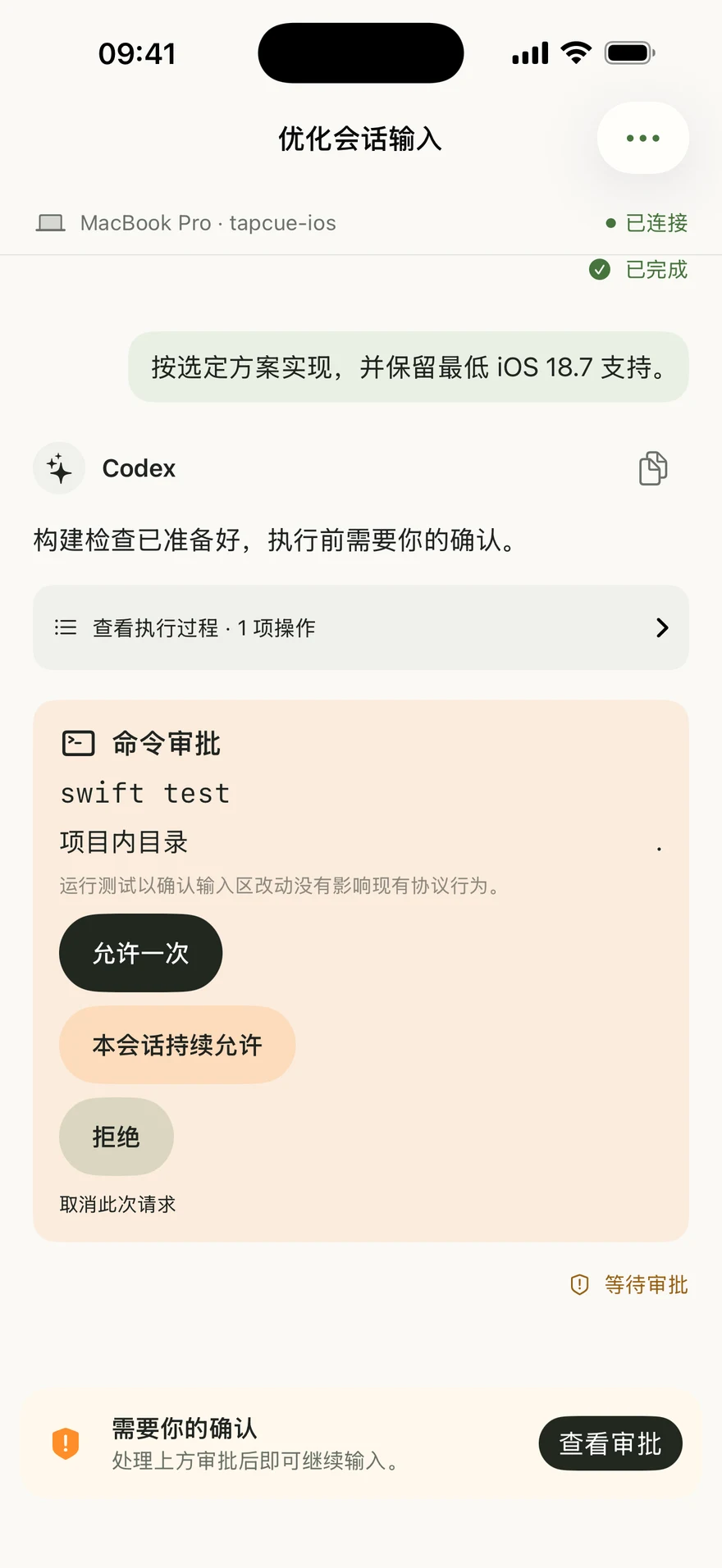
03
Respond when it matters
Keep work moving.
When Codex needs your input, review what it wants to do and make the next decision from your iPhone. Stay involved, even away from your desk.
How it works
Get up and running in a few simple steps.
- 1
Set up Codex on your Mac
Set up Codex and TapCue on your Mac. Keep your Mac on and reachable.
- 2
Pair with TapCue
Scan your Mac’s pairing code with TapCue on your iPhone.
- 3
Keep working, anywhere
Continue conversations, review changes, and handle approvals on the go.
A smaller distance to your work
Keep your Codex sessions within reach.
Set up TapCue and take the next step in your workflow.